Cucumber functionality is abstracted out in jars and following Cucumber jars/modules are required to run a Cucumber test with Java in Eclipse.
- cucumber-core
- cucumber-java
- cucumber-junit
- cucumber-jvm-deps
- cucumber-reporting
- gherkin
- junit
- mockito-all
- cobertura
There are many options to download Cucumber jars for Eclipse, can follow any of these below:
- Download Cucumber Jars from Online Maven Repository
- Download Cucumber Jars from oss.sonatype.org
- Download Cucumber Jars from Maven dependencies (Easiest)
Option 1 : Download Cucumber Jars from Online Maven Repository
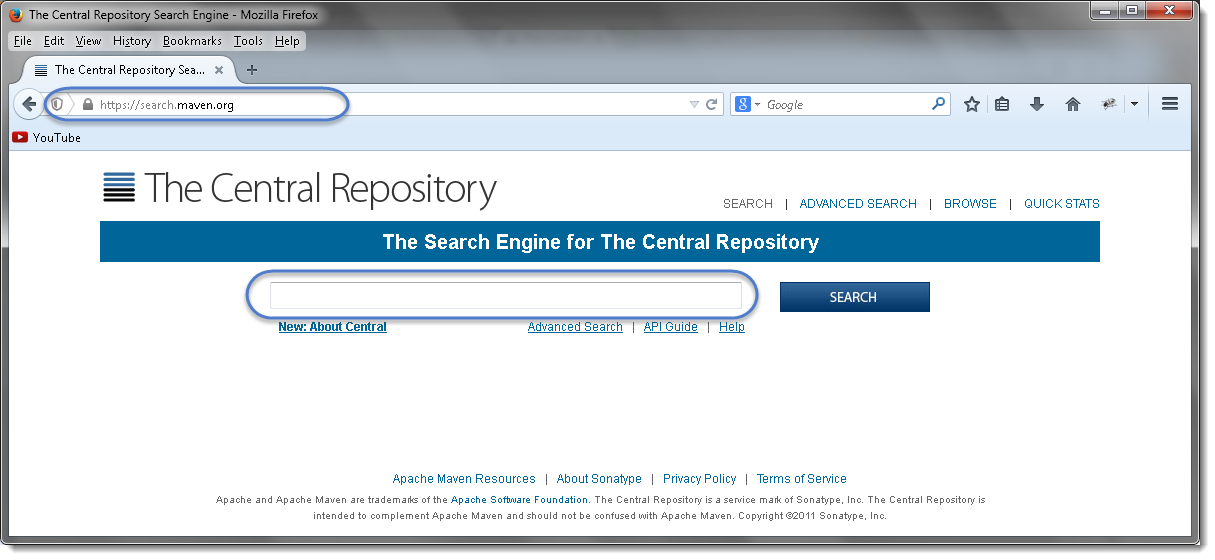
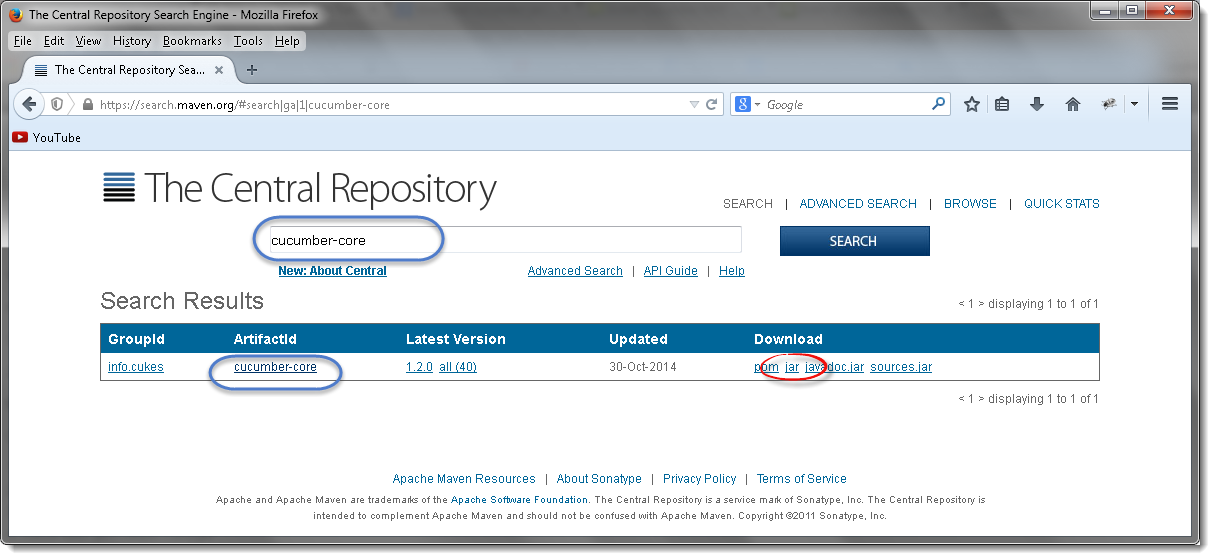
- Search for cucumber-core in the Central Maven Repository. It will return the Cucumber Core jars. Click on the jar.
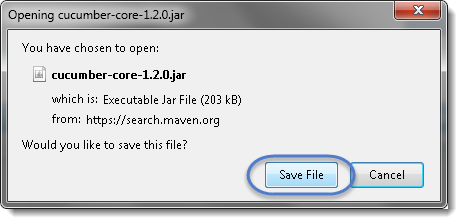
- It will display a pop up and ask you to save the cucumber core jar file.
- Just like this, one by one search for every other jar file mentioned above and downloads these to your drive.
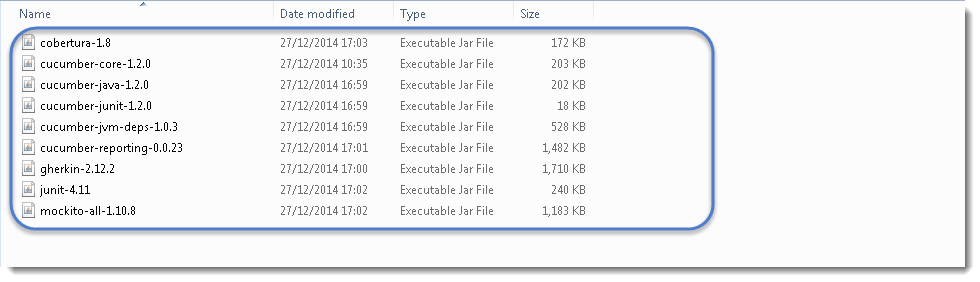
Note that core, java and junit files all need to be the same file version e.g. 1.2.0
Also, one most important thing to know is to download the correct Jars. As when you search for these libraries, you will get many options to download. So below chart will help you to install the right libraries from GroupID.
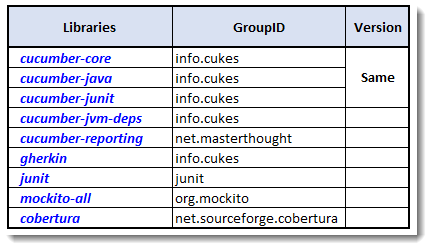
I got below versions on Oct’17 for Cucumber
- cobertura-2.1.1
- cucumber-core-1.2.5
- cucumber-java-1.2.5
- cucumber-junit-1.2.5
- cucumber-jvm-deps-1.0.5
- cucumber-reporting-3.10.0
- gherkin-2.12.2
- junit-4.12
- mockito-all-2.0.2-beta
Option 2 : Download Cucumber Jars from oss.sonatype.org
- Go to https://oss.sonatype.org/content/repositories/releases/info/cukes/ . Here also all the cucumber jars are available. Start with cucumber-core.
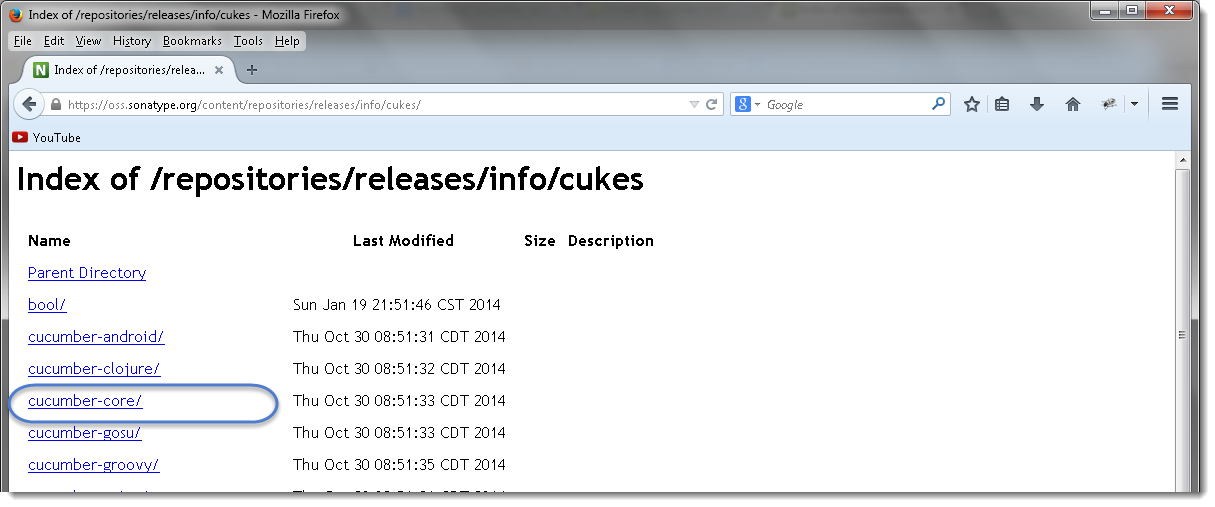
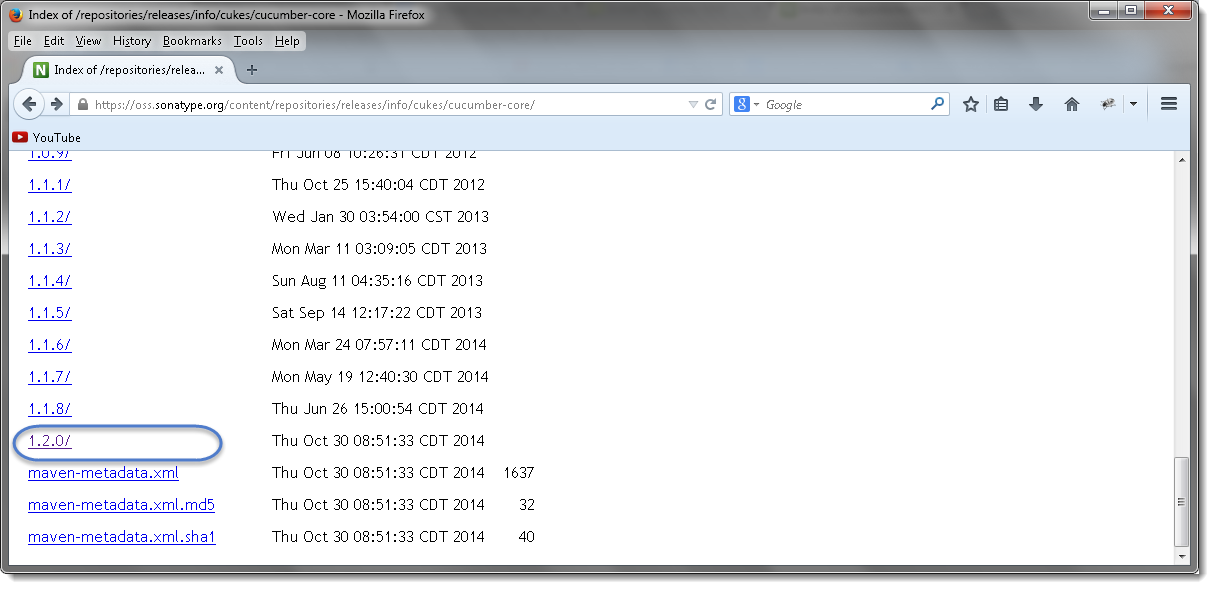
- Click on the latest version at the bottom of the page, which is version 1.2.0 as of now by Dec'14.
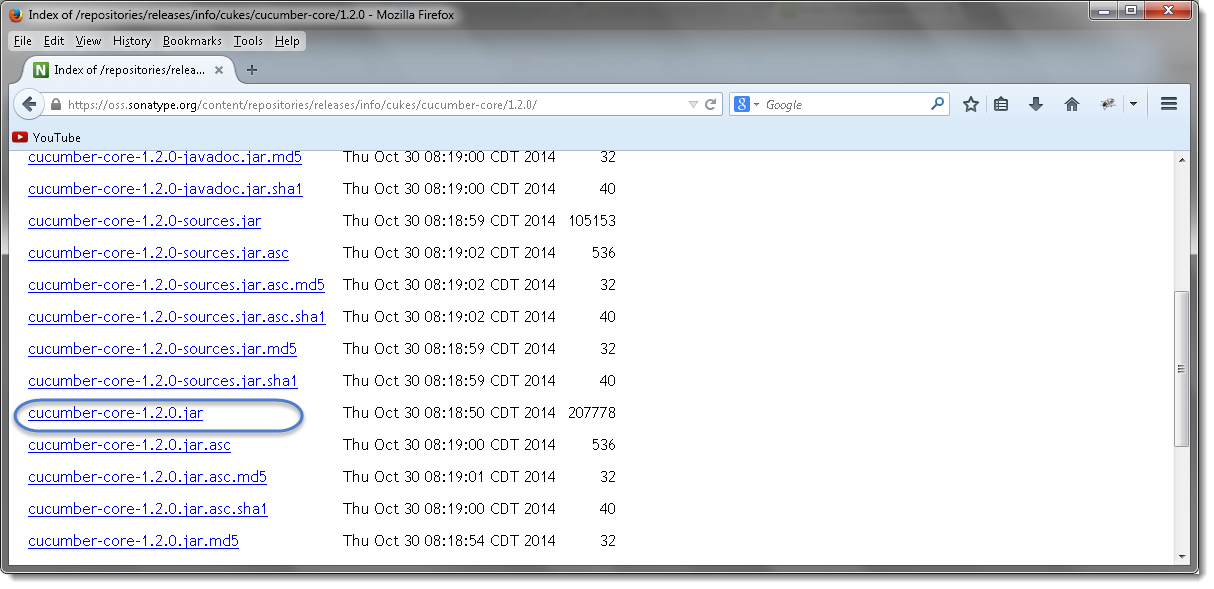
- Once clicked on the version, it will display the all types of jar available to download. Click on cucumber-core-1.2.0.jar .
- Just like this, downloads all of these to your drive and every other jar is available on the same page.
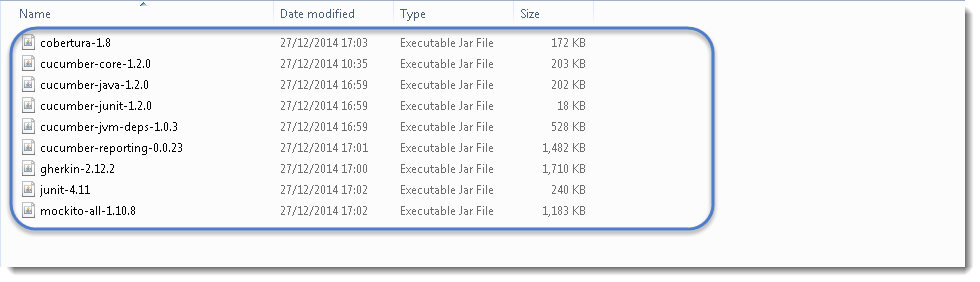
Note that core, java and junit files all need to be the same file version e.g. 1.2.0
Option 3 : Download Cucumber Jars from Maven dependencies
This is the most common and effective way of setting up cucumber with eclipse. But this is bit tricky for the people who do not have much experience with Maven and may end up in wasting a lot of time. There are few prerequisites for setting up cucumber in eclipse.
Once Maven is installed on eclipse and a Maven project is created, the next step is to add cucumber dependencies on the project. I have written a nice tutorial on Maven and how to add dependencies in to Maven project. Please follow the Step 4 : Add Dependencies to the Maven Repository at this article. The way we have added Selenium dependencies in the article the same way add the below mentioned dependencies in to the Maven POM.
Do not forget to add all the dependencies for all the below mentioned jars required for Cucumber set up:
- cucumber-core
- cucumber-java
- cucumber-junit
- cucumber-jvm-deps
- cucumber-reporting
- gherkin
- junit
- mockito-all
- cobertura
For example, Open the pom.xml file and Copy the following inside the dependencies tag.
<dependency>
			<groupId>info.cukes</groupId>
			<artifactId>cucumber-java</artifactId>
			<version>1.1.5</version>
			<scope>test</scope>
		</dependency>

		<dependency>
			<groupId>info.cukes</groupId>
			<artifactId>cucumber-jvm</artifactId>
			<version>1.1.5</version>
			<type>pom</type>
		</dependency>

		<dependency>
			<groupId>info.cukes</groupId>
			<artifactId>cucumber-junit</artifactId>
			<version>1.1.5</version>
			<scope>test</scope>
		</dependency>
		<dependency>
			<groupId>net.sourceforge.cobertura</groupId>
			<artifactId>cobertura</artifactId>
			<version>2.1.1</version>
		</dependency>
		<dependency>
			<groupId>info.cukes</groupId>
			<artifactId>cucumber-jvm-deps</artifactId>
			<version>1.0.5</version>
		</dependency>
		<dependency>
			<groupId>net.masterthought</groupId>
			<artifactId>cucumber-reporting</artifactId>
			<version>1.0.0</version>
		</dependency>
		<dependency>
			<groupId>info.cukes</groupId>
			<artifactId>gherkin</artifactId>
			<version>2.12.2</version>
		</dependency>
		<dependency>
			<groupId>org.mockito</groupId>
			<artifactId>mockito-all</artifactId>
			<version>2.0.2-beta</version>
		</dependency>
		<dependency>
			<groupId>junit</groupId>
			<artifactId>junit</artifactId>
			<version>3.8.1</version>
			<scope>test</scope>
		</dependency>
Conclusion
Cucumber's functionality is abstracted out into jars, so before any test can run in Eclipse those jars have to be on the project's build path. We listed the nine needed for a Cucumber and Java setup — cucumber-core, cucumber-java, cucumber-junit, cucumber-jvm-deps, cucumber-reporting, gherkin, junit, mockito-all and cobertura — and covered three ways to get them.
Option 1 pulls each jar manually from the Central Maven Repository at search.maven.org, one search and one download at a time. Option 2 does the same from the info.cukes releases directory on oss.sonatype.org. Both work, but they leave you managing files by hand, and the GroupID chart matters here because a search on any of these names returns several similarly named libraries.
Option 3, adding the dependencies to your Maven POM, is the most common and effective route. It needs Maven installed in Eclipse and a Maven project created first, after which the dependency block goes inside the dependencies tag, and Maven fetches everything for you.
Whichever option you pick, the one rule that catches people out is version alignment: core, java and junit must all be on the same version. Next, we configure Eclipse with Cucumber.